
- Project handoff
- Final QA
The new www.blueforeststudios.com is built. Your job is to check every page against the live site, fix what's off, and tell Ammon when it's ready. Ammon handles going live.
Four pieces. You work in the local folder with Claude, and everything gets saved to GitHub. Cloudflare comes last, and Ammon handles it.
The official copy of the code, private, in the BlueForest org. If it's not pushed to GitHub, it isn't saved.
Your copy on your Mac. You and Claude work here, then push to GitHub.
Plans, codes, previews and commits. You don't need to write code by hand. Describe what you want in plain English.
CLAUDE.md is the project's memory, and Claude reads it every session. HANDOFF.md is this guide plus your QA log.
| Task | Onyx | Claude | Ammon |
|---|---|---|---|
| Compare pages to the live site | Leads | Does the legwork | — |
| Decide what to fix | Yes | Suggests | Answers questions |
| Write and change code | — | Yes | — |
| Check the result in the browser | Yes | Screenshots | — |
| Commit & push to GitHub | Asks for it | Runs it | — |
| Cloudflare, DNS, going live | Never | Never (unless Ammon asks) | Yes |
We'll do this together at the handoff meeting. It takes about 20 minutes.
Check your onyx@ inbox for the BlueForest Studios org invite. Accept it, and create a GitHub account if you don't have one.
Install the Claude desktop app and sign in, then open its Code tab. Install Node.js 22+ from nodejs.org.
In Claude Code, open your working folder and paste:
From now on, open Claude Code in the project folder. That's how it finds CLAUDE.md and knows the project.
The first time, Claude may ask you to run gh auth login. It opens your browser, and you click Authorize. That's all.
Repeat this loop every session. The last step matters most: push before you stop.
Pick the differences to fix, then check the result in the preview yourself.
Tick the checklist in HANDOFF.md. Add anything unclear to the QA log.
These are real screenshots taken today. The live Squarespace site is on the left and our new version is on the right. They look alike at a glance, and your job is to catch what's different.
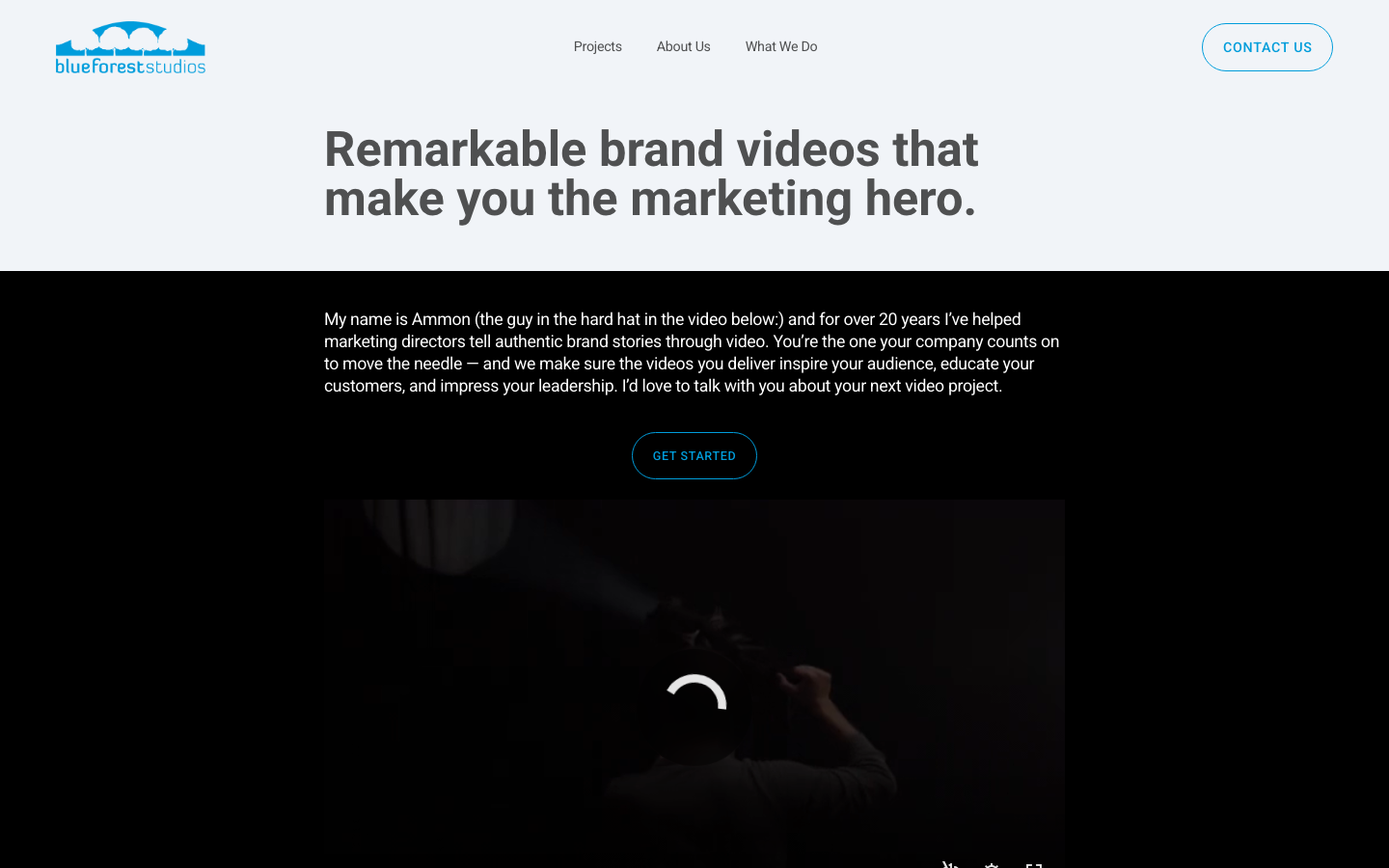
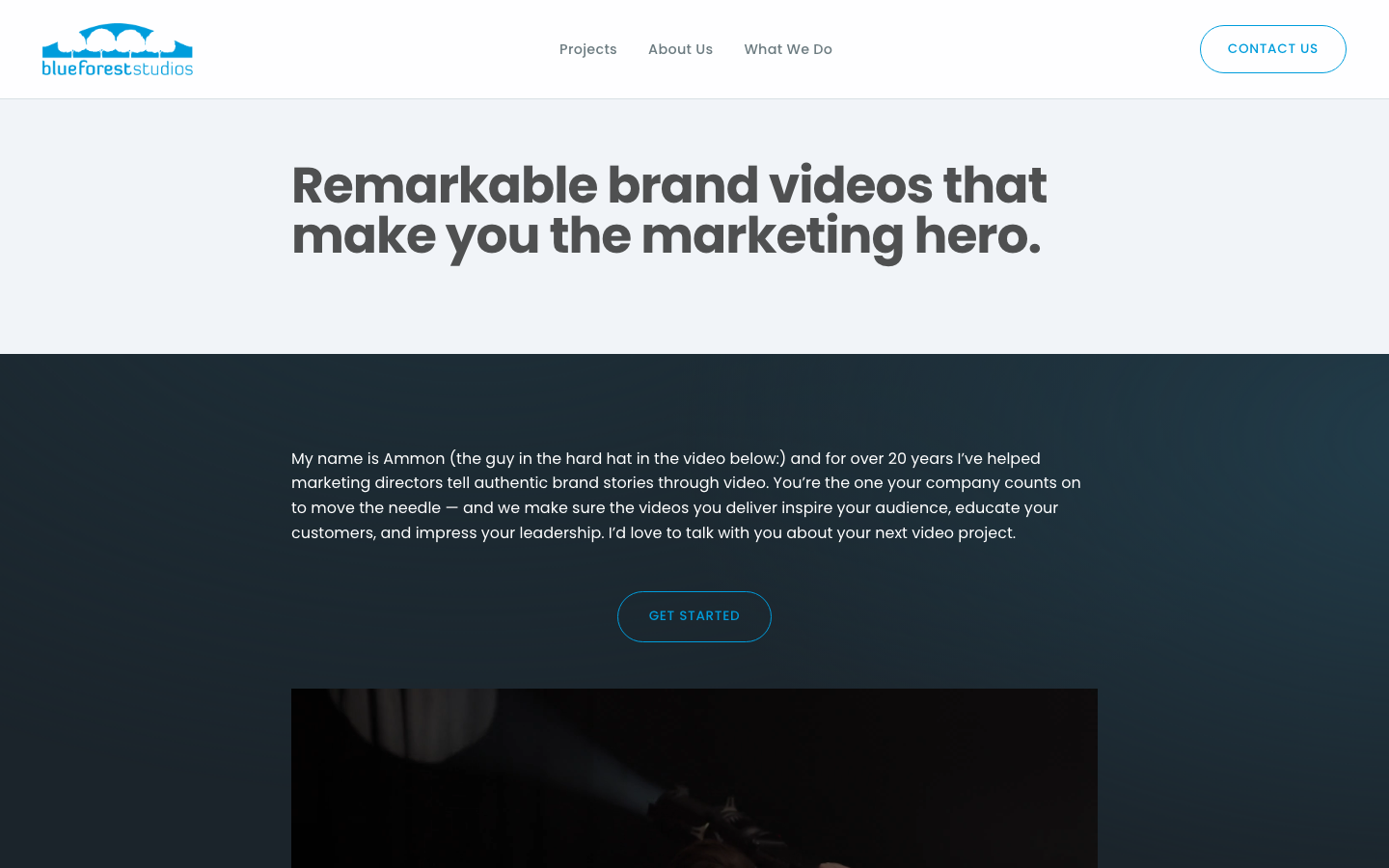
Live uses the Roboto font and ours uses Poppins. Poppins is correct (Ammon confirmed), so ignore font differences. Do check the spacing around the headline, which also differs.
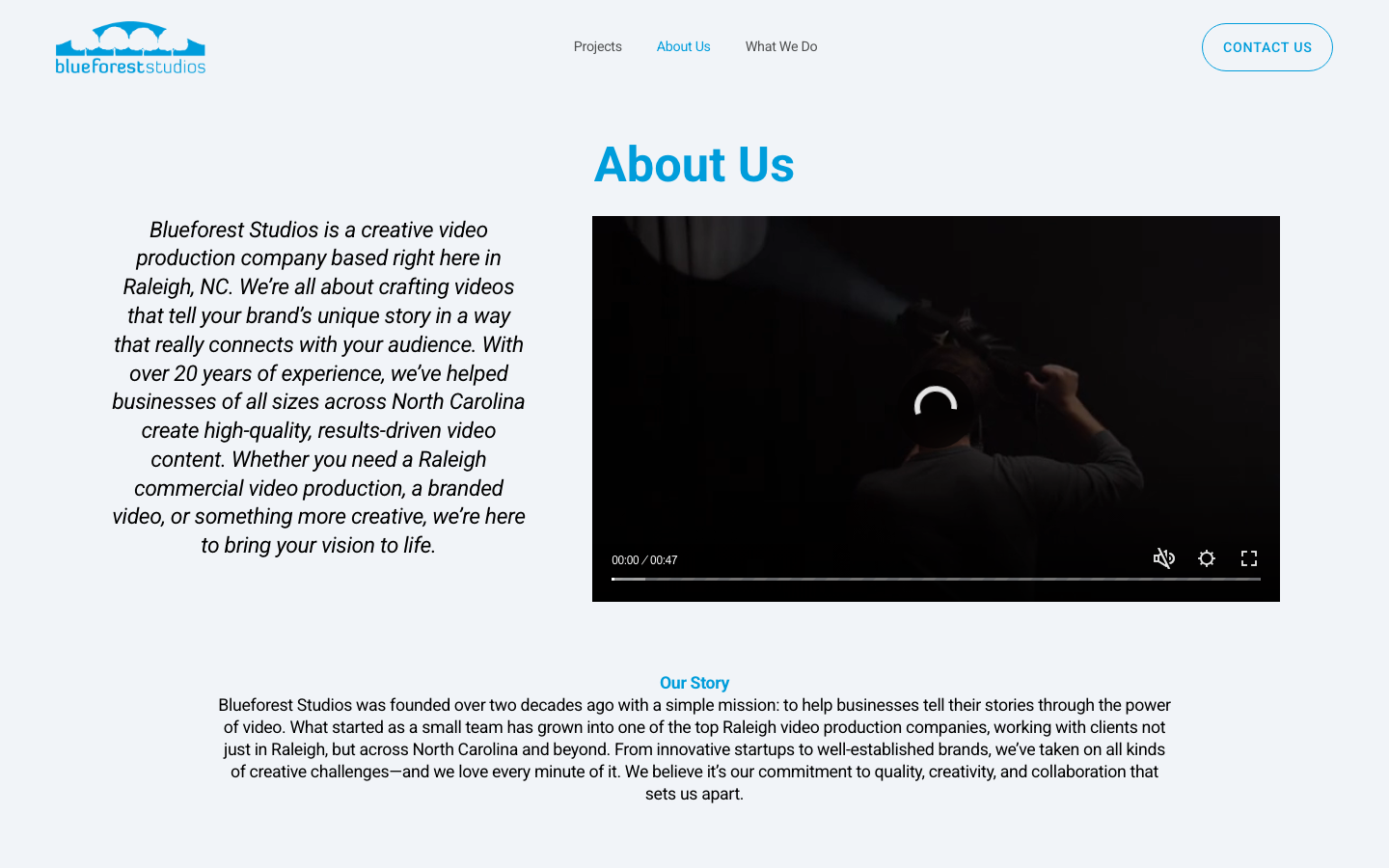
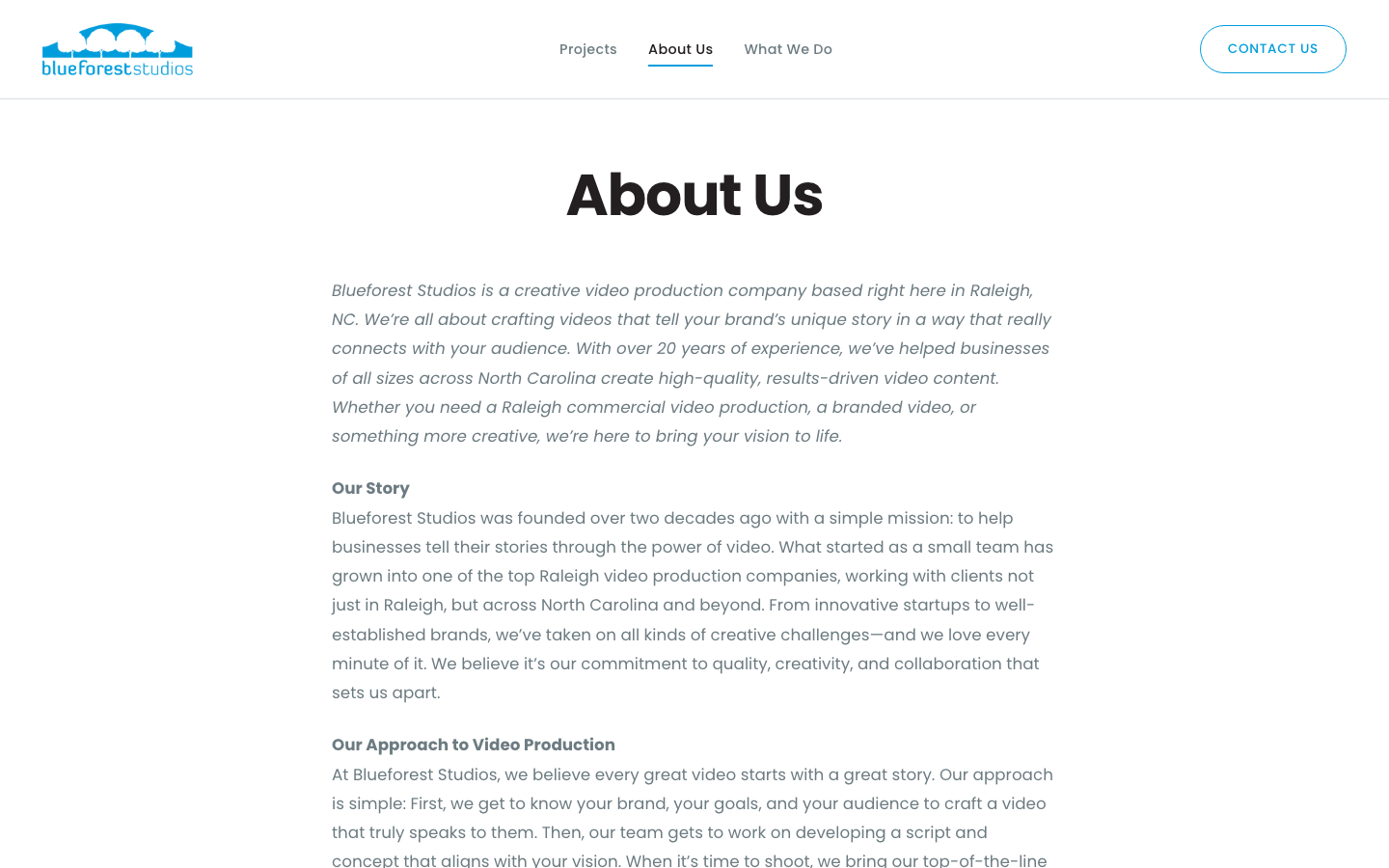
The live page has the intro text beside a video with a blue heading. Ours is a single text column with no video. The words match, but the layout doesn't. Rebuilding the layout is a good first fix to do with Claude.
Look for: wording, images, fonts, colors, spacing, buttons, links, and videos that play. Check every page at phone size too. Ask Claude to "show me this page at phone width."
Phrases that work well:
Claude can make mistakes. Always check its fixes in the preview yourself before ticking a box.
The goal is an exact match of what's live today: same words, pages and URLs. If the live site is wrong too, don't fix it. Log it for the redesign.
Google rankings depend on URLs. If one has to change, Claude must add a redirect in public/_redirects.
No Cloudflare, no DNS, no edits to the live Squarespace site. Ammon does all of that.
Write the question in the QA log and pick another section, or message Ammon.
Check each item against blueforeststudios.com at desktop and phone size. Tick the boxes in HANDOFF.md as you go. This page is the visual reference.
npm run build finishes with no errorsTo check"Done" means all three cards below are true. Then hand it back to Ammon.
Every item in the HANDOFF.md checklist is checked.
Each open item is either fixed or okayed by Ammon.
The latest work is on GitHub. Tell Ammon, and he connects Cloudflare and switches the domain.